Animation State Machine & Blendspaces
As my specialization at The Game Assembly I decided to develop a Animation State Machine and corresponding editor
for our game engine editor called Borealis with the main focus being on speeding up the workflow for the animators
and gameplay programmers in my group.
This tool was developed using solely Dear ImGui in a custom C++ game engine.
Features:
Mouse Movement
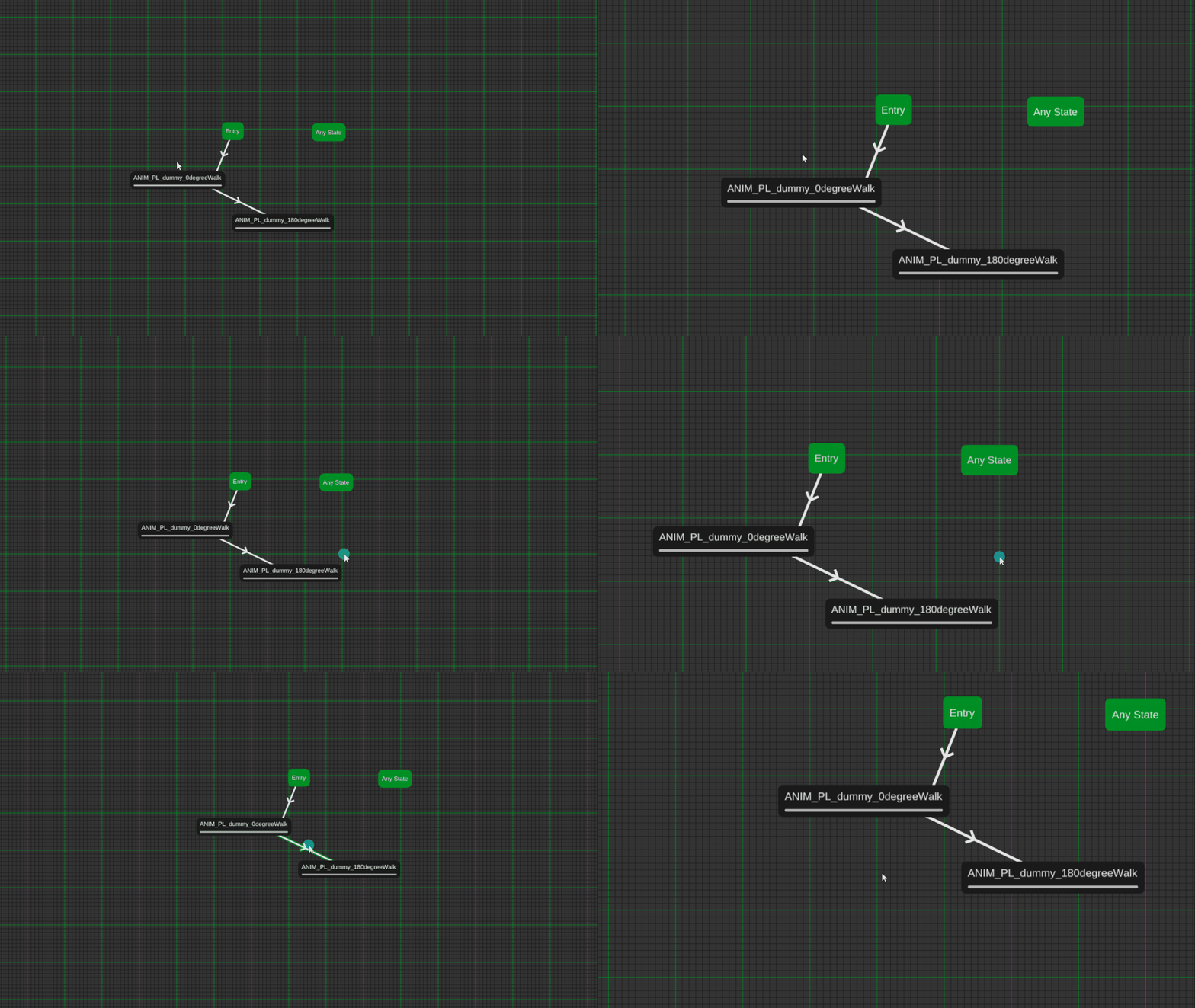
Since I chose to develop this solely using Dear ImGui and not using some finished graph solution like ImNodes,
I had to figure out how to draw the nodes and graph myself.
In order to draw the graph and nodes I chose to utilize the ImGui DrawList functionallity of Dear ImGui.
I utilize a 3x3 Matrix in order to save the position and zoom of the viewport camera. The nodes then store
their own positions as Vector2's, these are then multiplied with the camera matrix before rendering them to
the screen so that they get rendered on the screen correctly relativley to the camera view.
The biggest problem I encountered developing the mouse movement was the fact that the camera always zoomed
in towards the top left corner no matter where the mouse was placed, I solved this by calculating the
difference between the mouse position in world space this frame and last frame, I then added the difference
to the cameras position when zooming so that it zoomed towards the mouse.
Global Variables
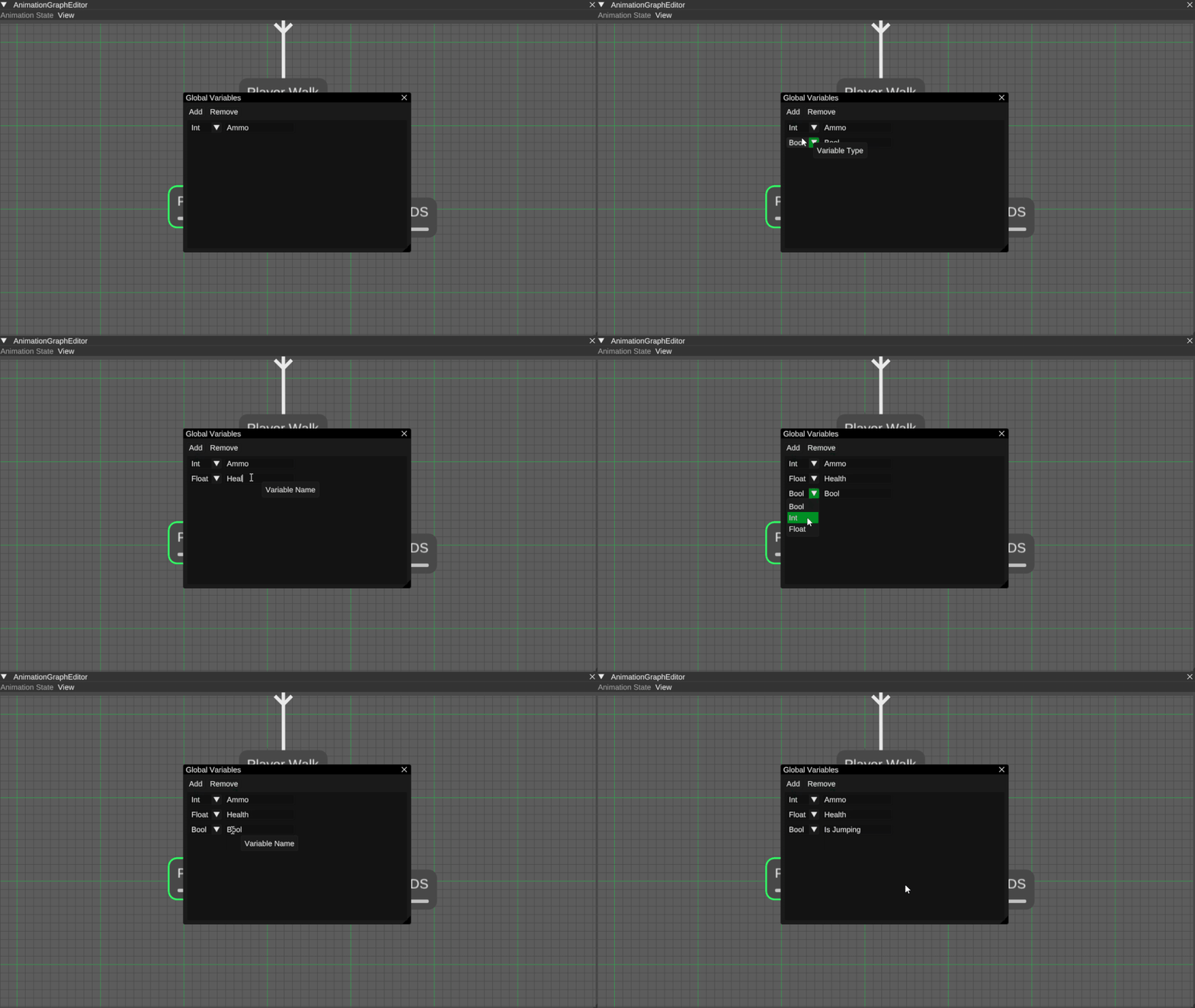
To ensure that the state machine knew if it needed to progress from one state to another I had to implement
global variables.
The variables store an ID, used so that multiple variables of different types can have the same key.
A variable type to identify if it's an int, float, or bool. A key used by the Links between states to know if
they need to transition or not. A data index that points to one of multiple lists containing the data used to
check the conditions of the links, the data in these lists can then be set externally by a gameplay programmer
using either the id or key of the variable.
One of the problems I stumbled upon while making the Global Variables was the fact that they were global,
meaning that the data they contained was shared across all instances of the same state machine. I solved this
problem by making the data local to the animator component that held the instance of the state machine and then
sending that data to the state machine every update.
Linking Nodes
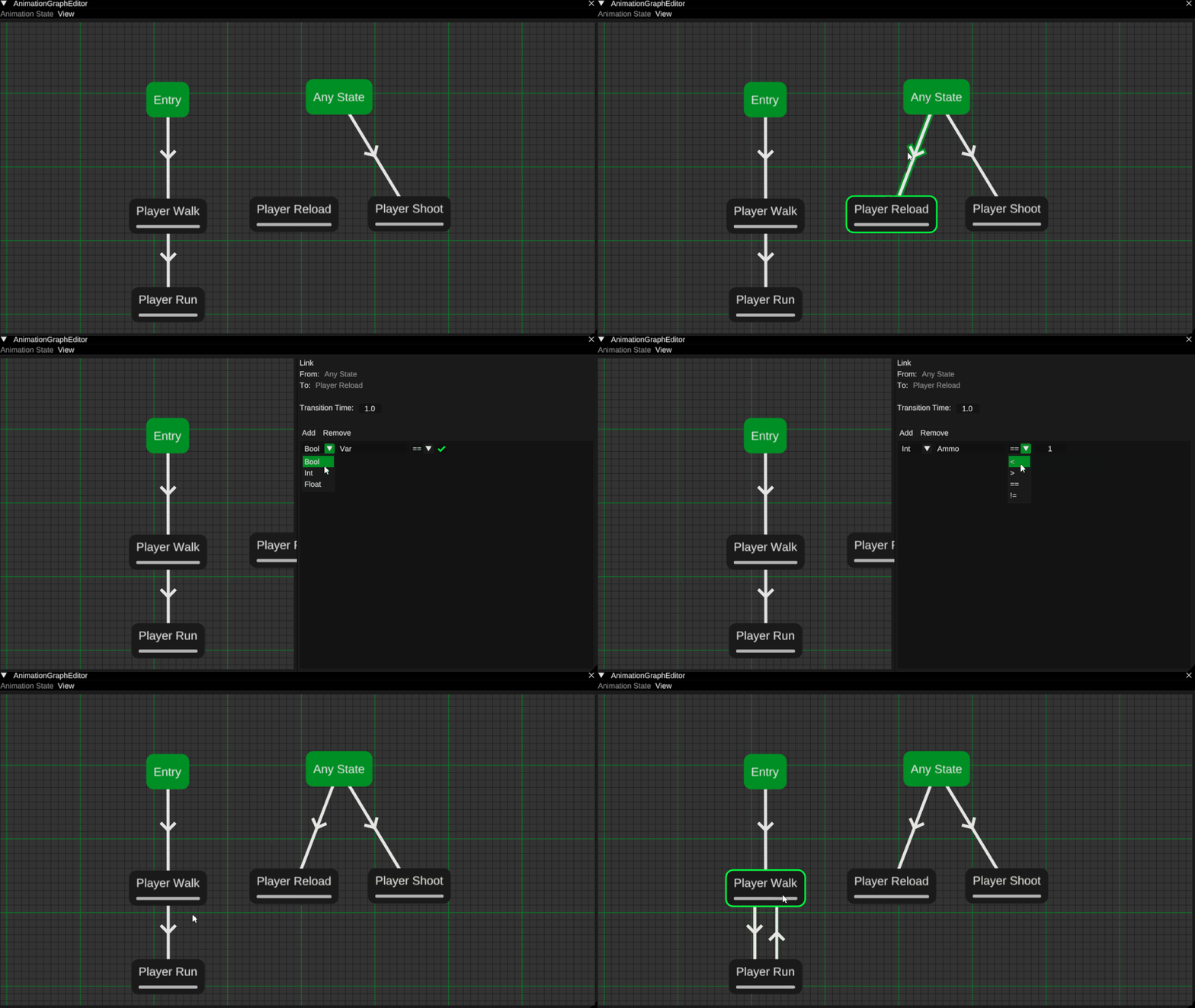
The most vital part to making an animation state machine are the links between the nodes.
I needed to develop a system that accomplished two things, giving the user the ability to link two nodes
together and enabling the user to set the conditions for when the links should transition to the next node.
When linking two nodes the user can compare the value of a global variable using a operator and a value that
is local to the current link. If the comparison returns true then the state machine can transition to the
next node.
Transitions
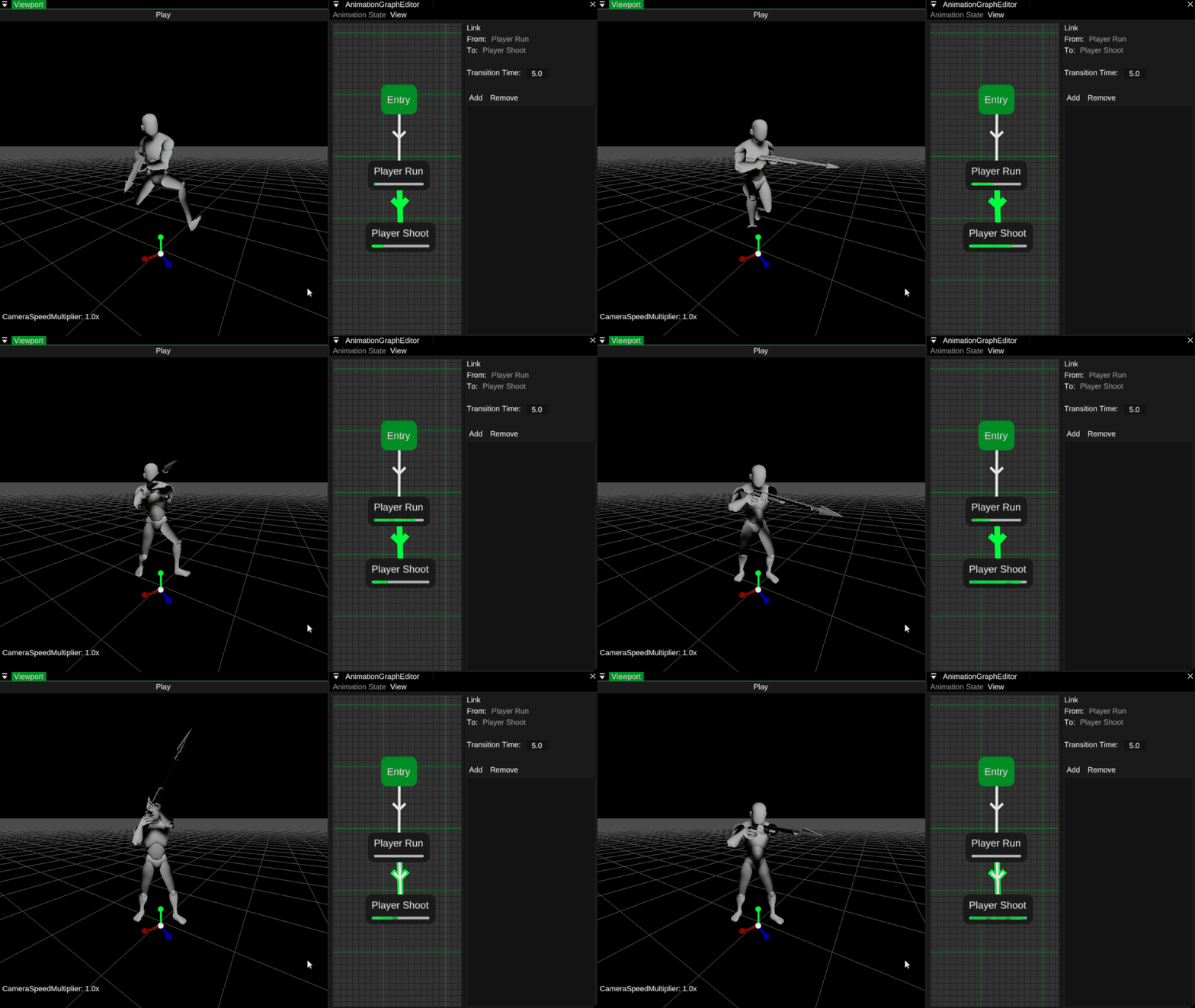
When transitioning between two nodes I wanted the animation to blend during a predetermined transition time
that is set by the user.
The blending was implemented by first decomposing animation matrices into position, rotation and scale vectors
when loading. I then lerp the decomposed animations of the two transitioning animations using a timer that gets
remapped to go from 0 to 1 depending on the predetermined transition time. The result then gets composed back
into a list of matrices that then gets sent to the graphics card for rendering.
2D Blendspaces
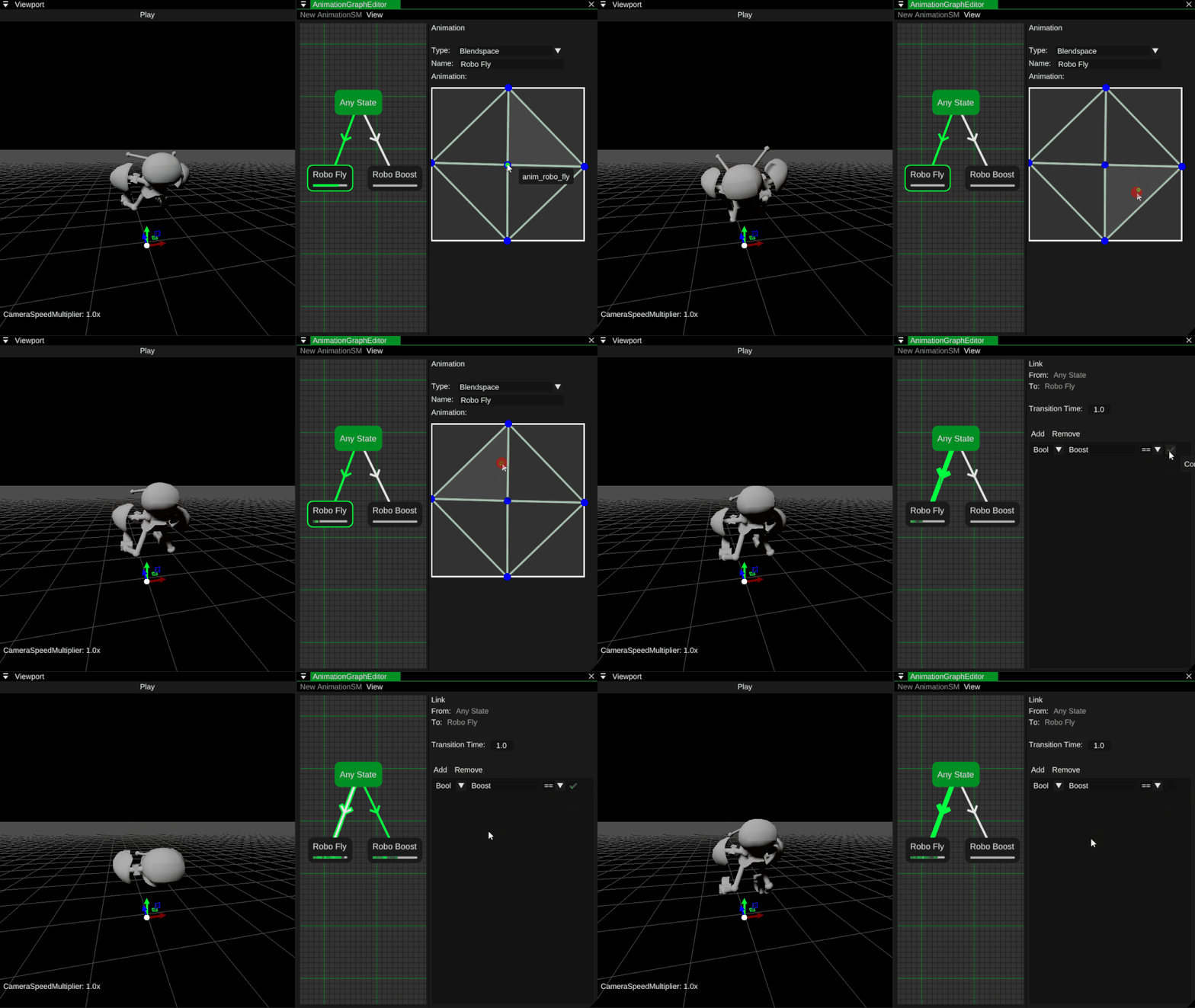
Implementing 2D blendspaces had me using triangles in order to figure out what animations that I needed to
blend between.
I had to lerp the animations between each other, I accomplished this by calculating the weights of the
animations in the triangle using their Barycentric coordinates. Once I had their weights I could determine
which animation was the heaviest and use that as my base, I then blended between the base animation and the
other two animations based on the weights of the other two animations.
Triangulation
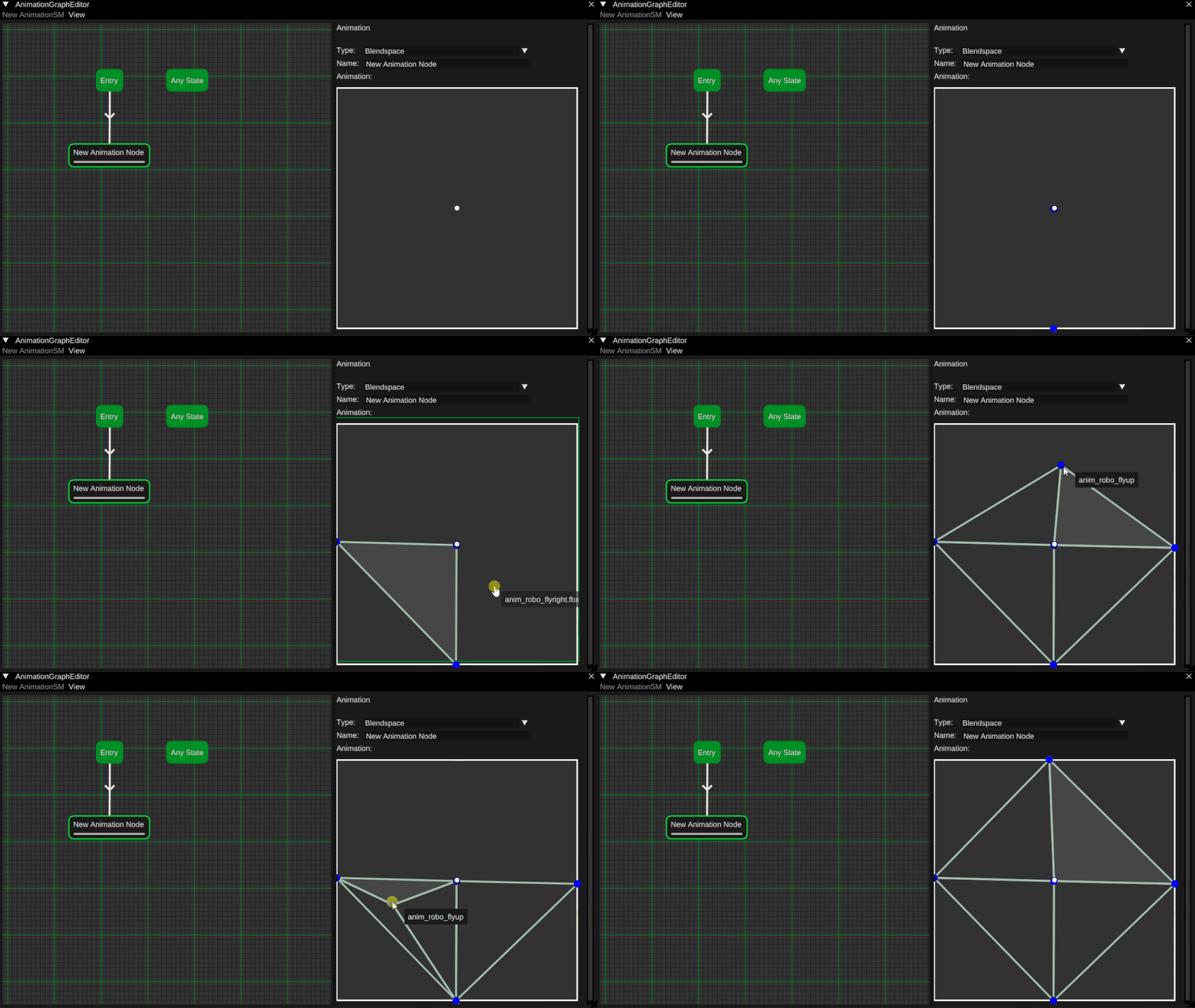
Since I decided to implement 2D blendspaces I had to implement some sort of triangulation.
I chose to implement the Bowyer-Watson algorithm which is a type of Delaunay Triangulation in order to
generate the triangles used for blending in a 2D blendspace.
Any State
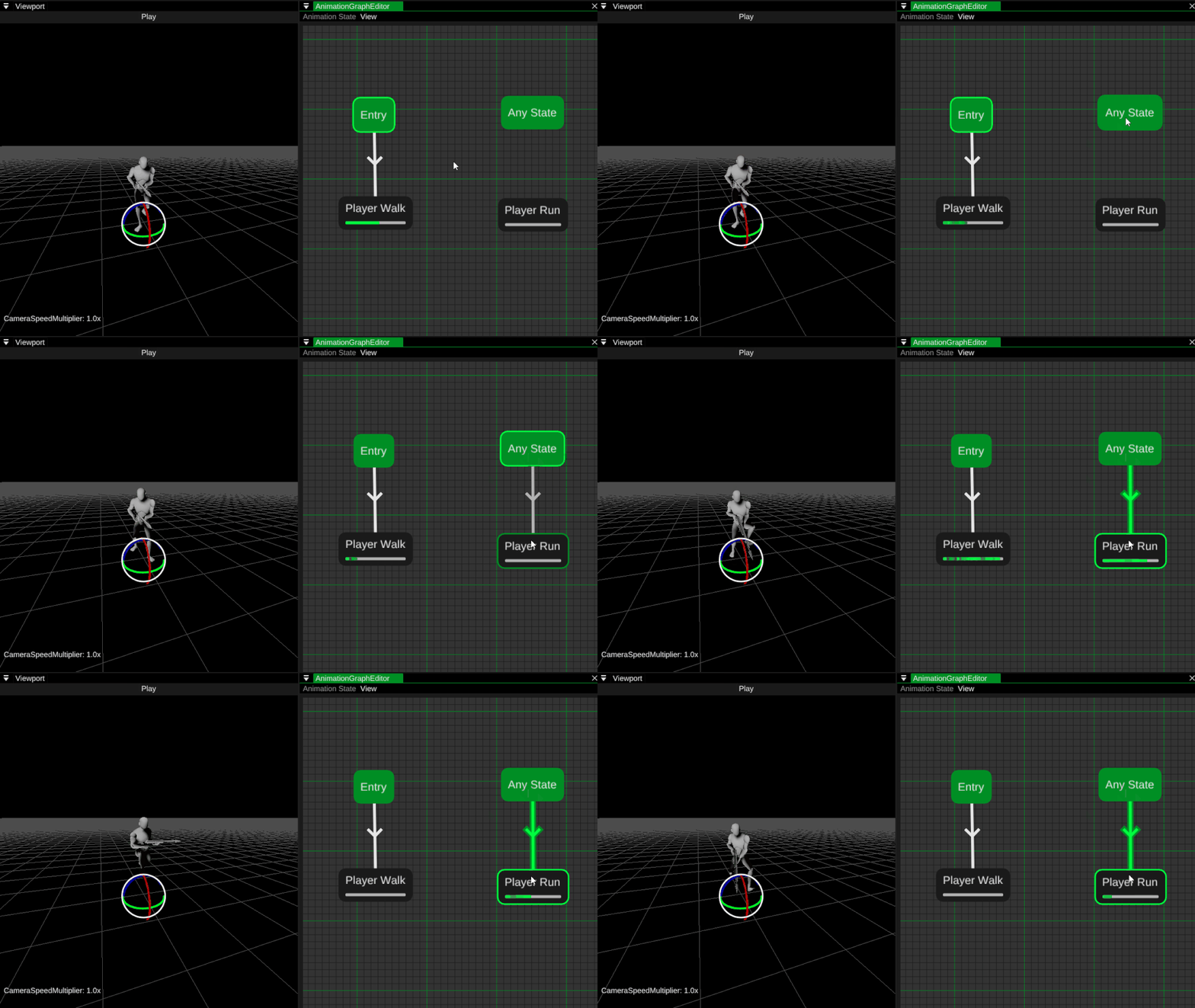
The any state exists for when you want to go to a specific state regardless of which state you are currently
located in.
This is a nice way to switch from any state e.g. if the player were to die, we would want to immediately
switch to the death animation no matter where in the state machine we are currently located.
Real Time Preview
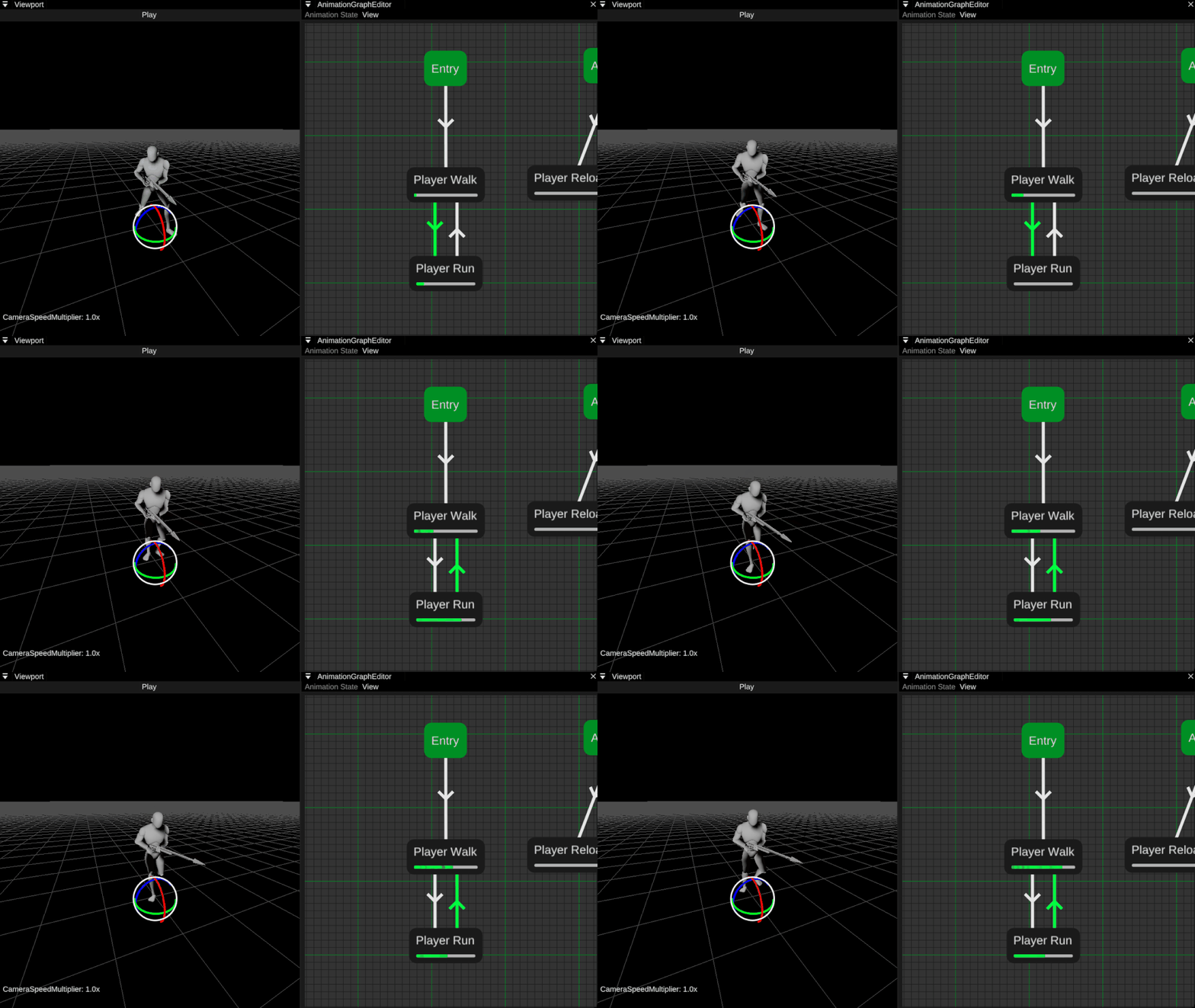
I wanted to give the user the ability to preview what animation was playing and which animation link the
state machine was currently passing through.
This was done by adding a progress bar to the animation nodes that filled up based on how far into the
animation the state machine currently was and then changing the color of the currently transitioning link.
Drag And Drop
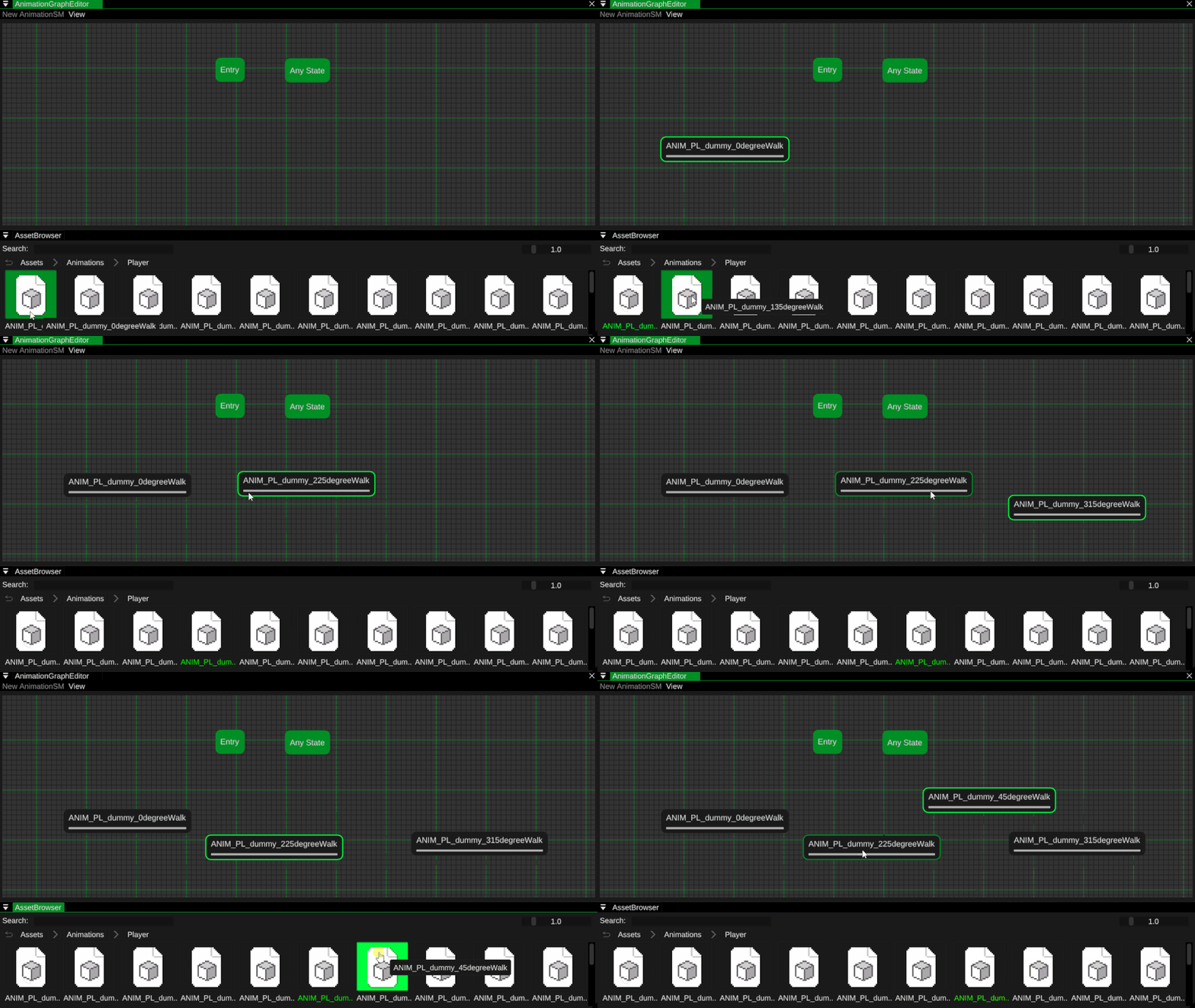
I needed to a way to let the user easily and intuitively add animations into the state machine.
This was relatively easy to implement since we already had the functionally of dragging and dropping files
from the asset browser, all I had to do was to check if the dropped file was an animation and then create a
new node at the same position as the mouse and then set that node as the currently selected node.
Undo And Redo
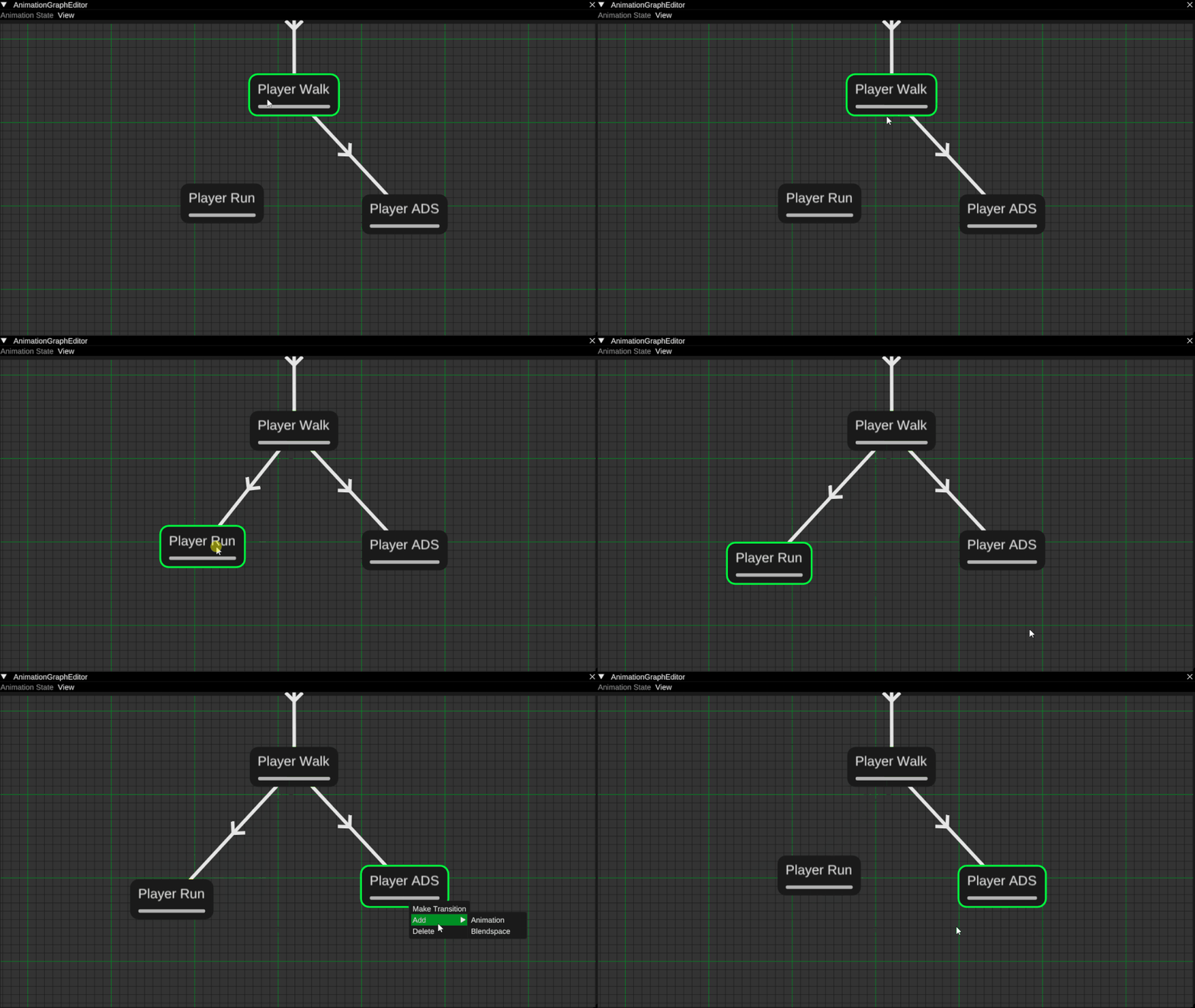
A core feature to any tool is giving the ability to undo and redo their changes.
I implemented this using a command design pattern.
Renaming Nodes
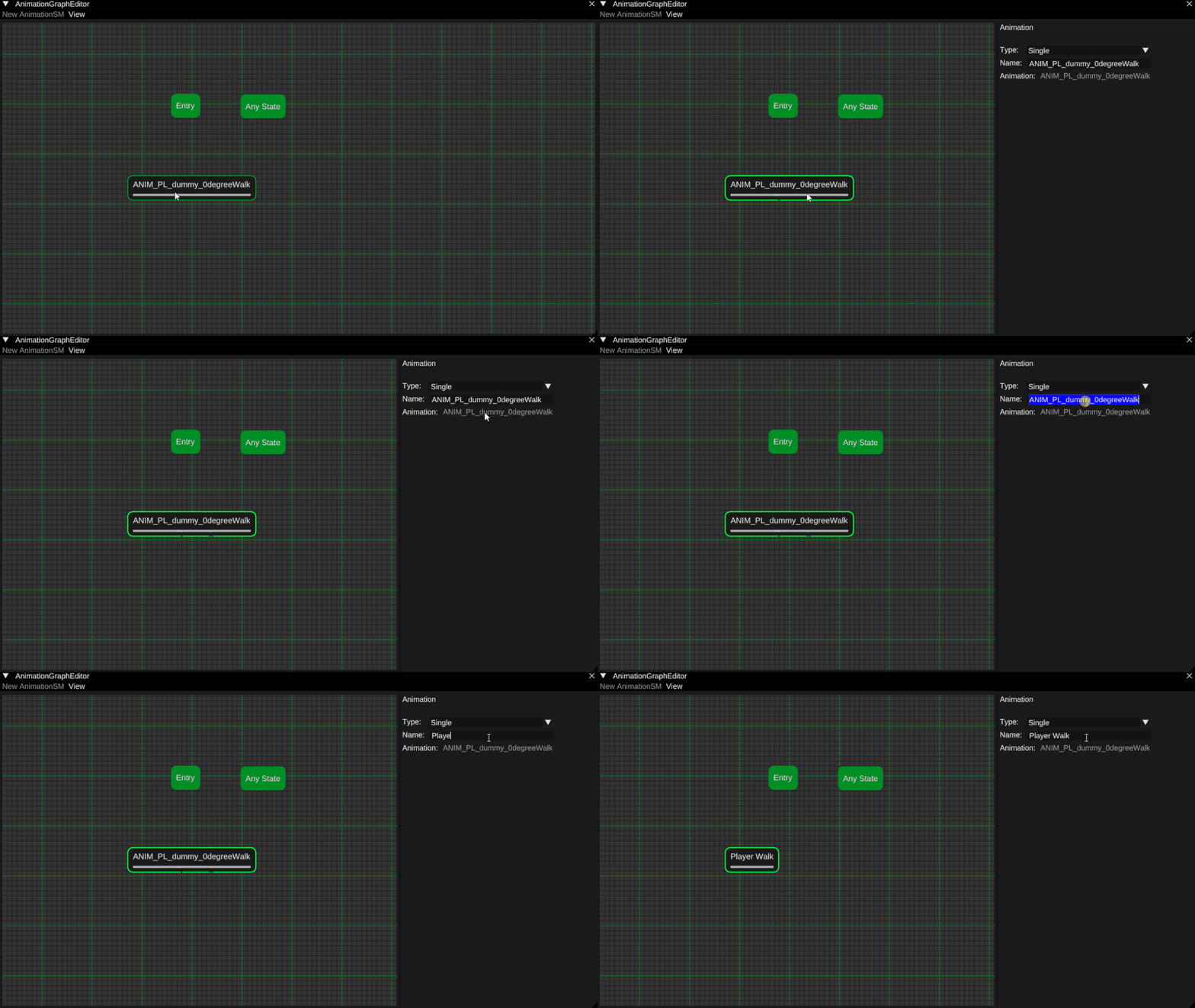
This was added as a neat little feature since I know from experience that animation names can get long, bulky and just plain hard to read.
Conclusion
When looking back I think I accomplished what I first set out to do. I wanted to rework our current animation system
into a animation state machine to speed up our workflow and give more control to our animators.
There are two features that I wish to implement in the future, animation layers and exit times for states,
but otherwise I'm quite satisfied with what I managed to develop and I am quite excited to integrate this new
animation system into our next game project, I cannot wait to see what our animators and gameplay programmers can
accomplish with my system.